[EtherNet/IP] Change IP Address of TM robot by using RSLinx Classic Tool
Updated on 2026 / 06 / 11
Examples are valid for :
TMflow Software version : All versions
TM Robot Hardware version : All versions
Other specific requirements : None
Note that older or newer software versions may have different results.
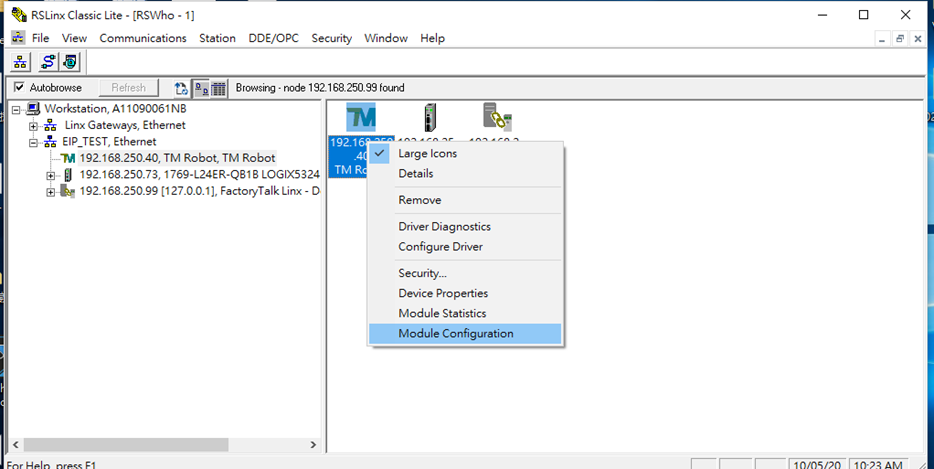
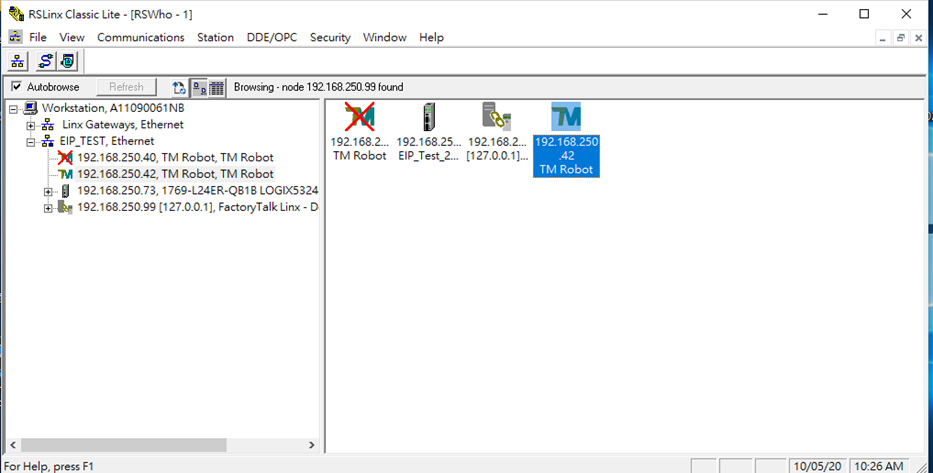
An example: The original IP of a TM Robot is 192.168.250.40. If users want to change it to 192.168.250.42, here are the following steps.
Step #1: Right-click the Robot module which you want to change the IP, and select 'Module Configuration'.
Step #2: Change the IP from 192.168.250.40 → 192.168.250.42
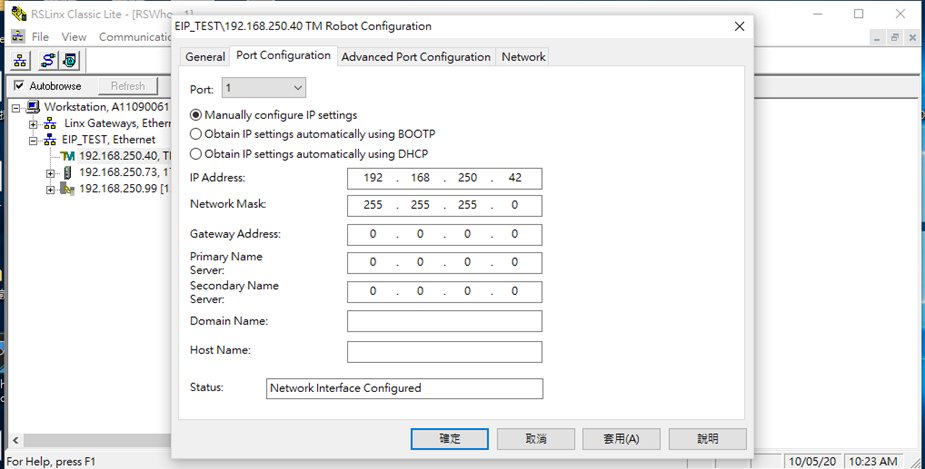
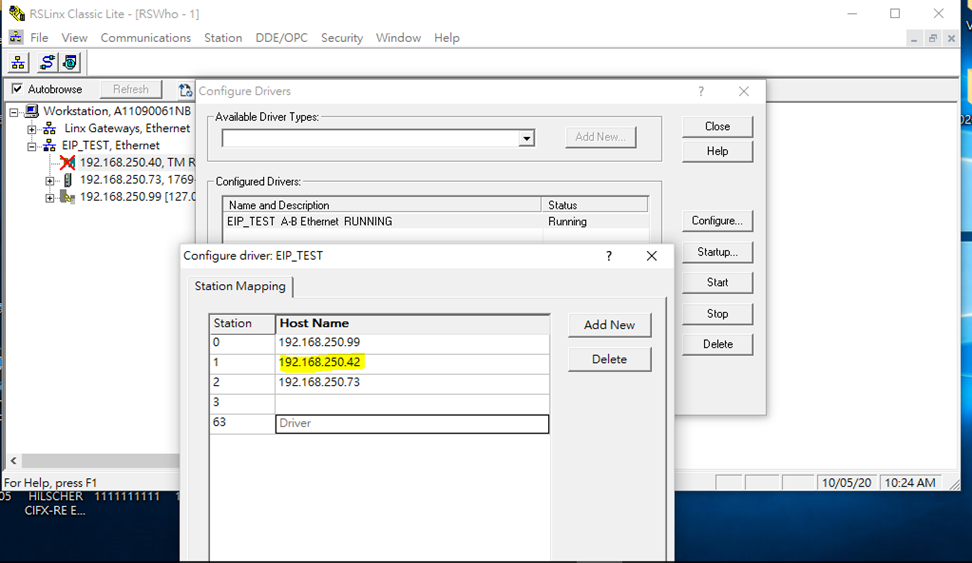
Step #3: IP is then changed successfully.
Was this article helpful ?