Why didn’t the Project Start Immediately After I Pressed PLAY?
Updated on 2026 / 08 / 27
Examples are valid for :
TMflow Software version : All versions
TM Robot Hardware version : All versions
Other specific requirements : None
Note that older or newer software versions may have different results.
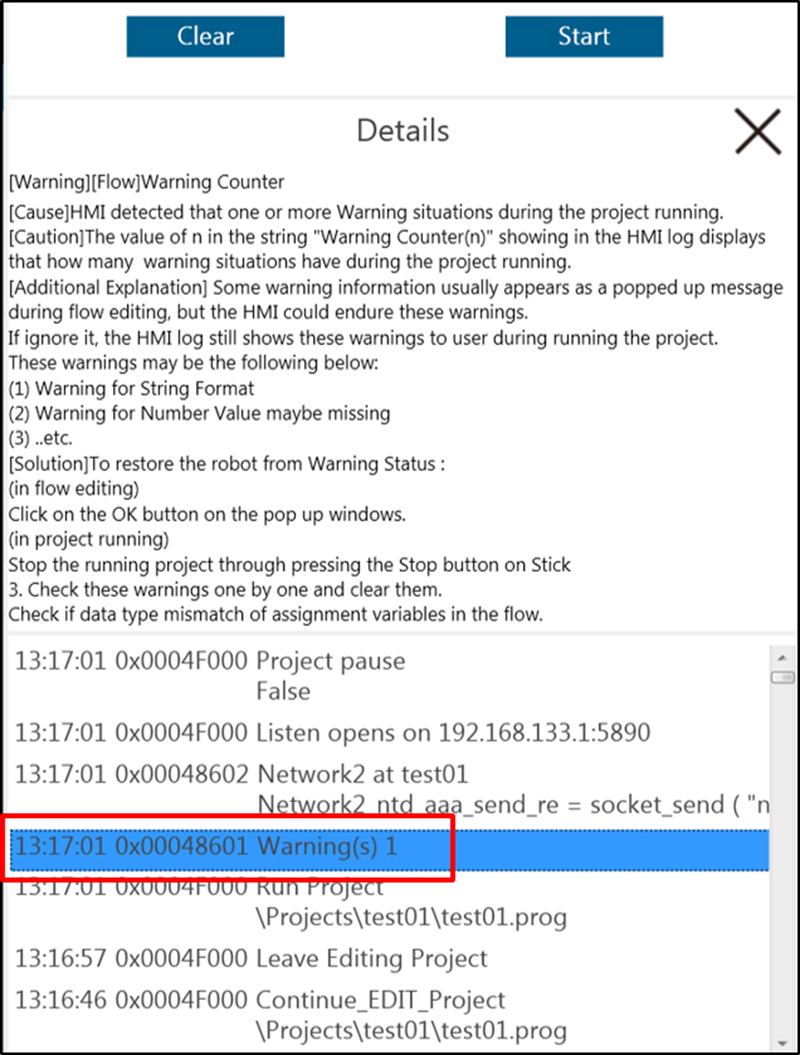
Common Cause: 0x48601 Warning(s)
If the message “Warning” appears in the message window of TMflow when users try to run a project, it means that there may be nodes in the project that have not been set up properly. Please follow the HMI error description to correct the node.
The content of project will become the commands to robot after translation. The presence of a Warning in the project will not stop the project, but will force the project to be translated before each run. The greater the number of Warnings, the more time TMflow will need to spend on the translation. Once there are too many Warning, the project may not run immediately because TMflow need to translate the command each time.
Was this article helpful ?