
[EtherNet/IP] Mapping TM User-Defined Data Types To Rockwell PLC
Updated on 2026 / 03 / 05
Examples are valid for :
TMflow Software version : All versions
TM Robot Hardware version : All versions
Other specific requirements : None
Note that older or newer software versions may have different results.
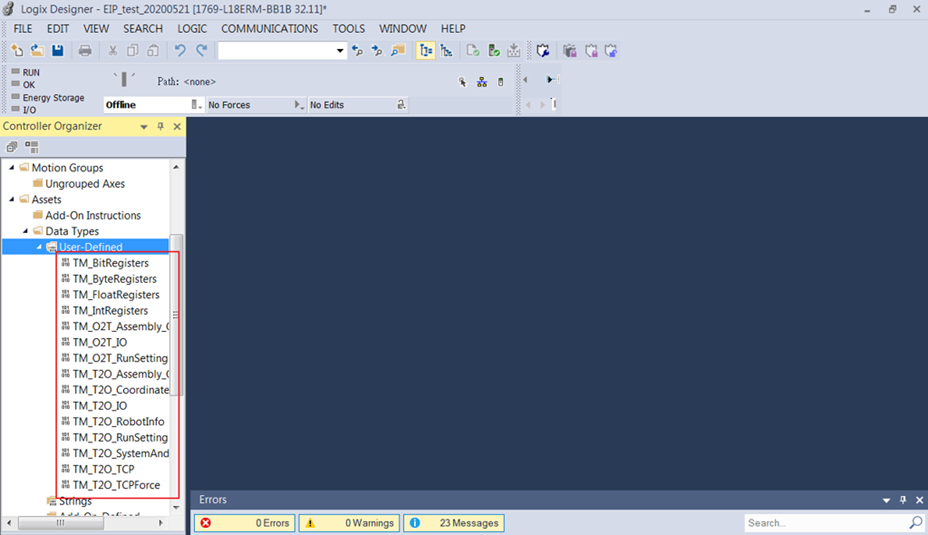
After Importing the (*.l5x) file to the Rockwell Studio 5000 Logix, we can map the pre-defined data types to any registers.
Remark: The (*.l5x) file contains user-defined data types and can be used to import the message format into Rockwell Studio 5000 Logix Designer. This file is required to be certified officially by Rockwell.
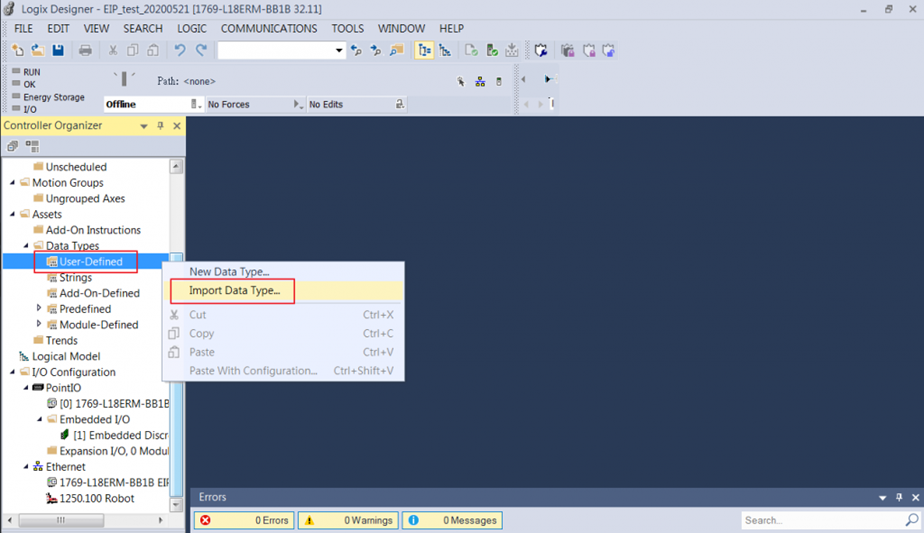
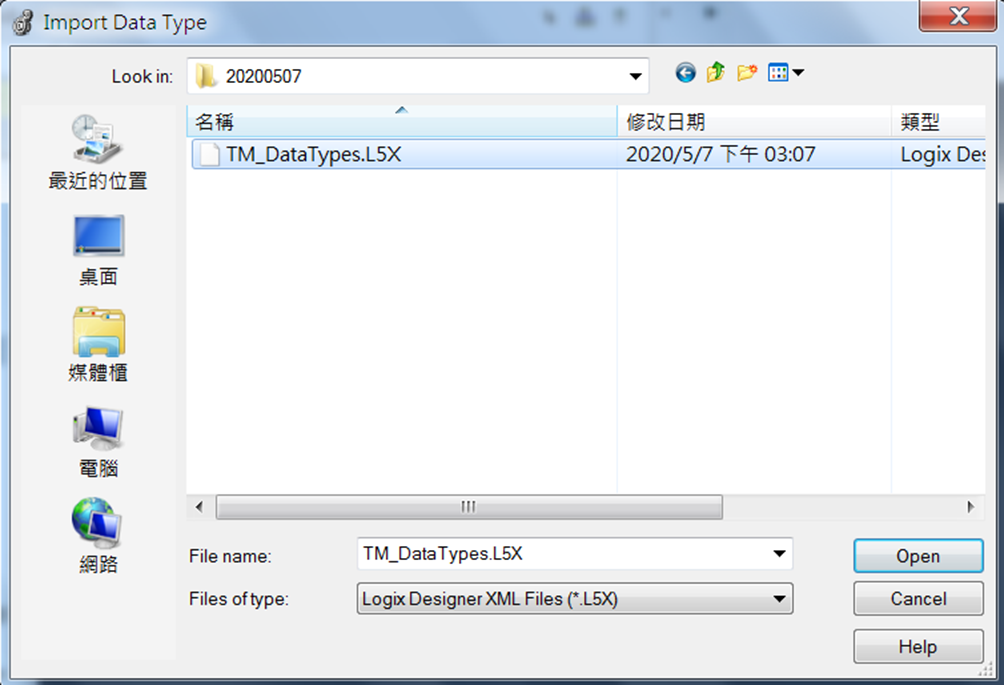
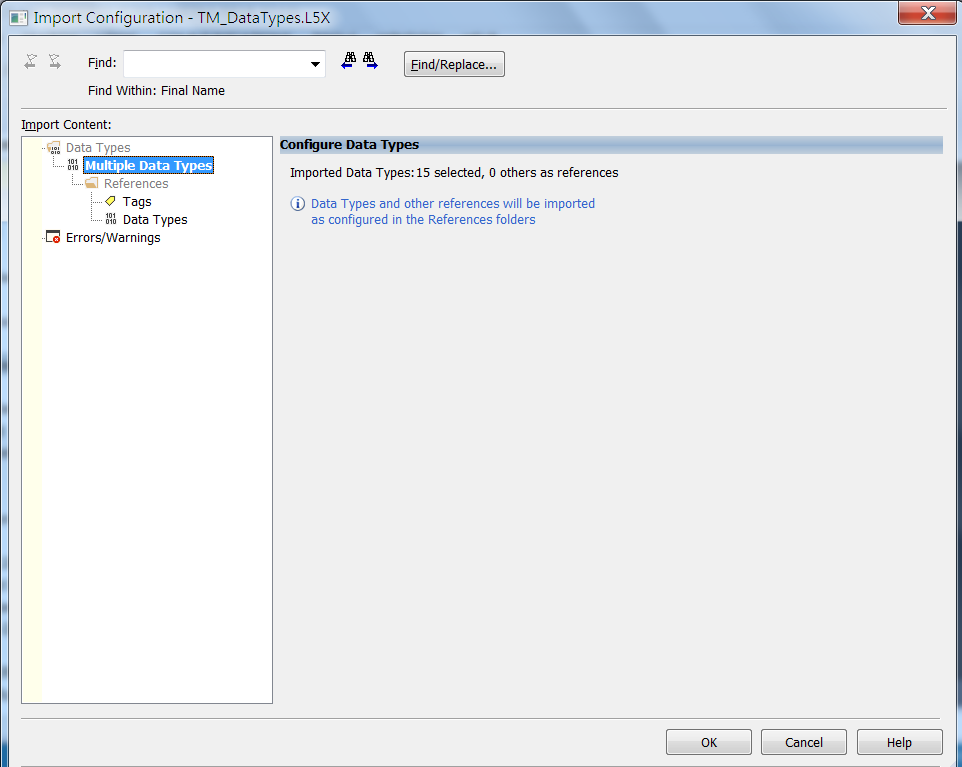
Step #1: Import Data Type (.L5X)
Note: T2O represents Target to Originator, read values from the target machine; O2T represents Originator to Target, write values to the target machine.
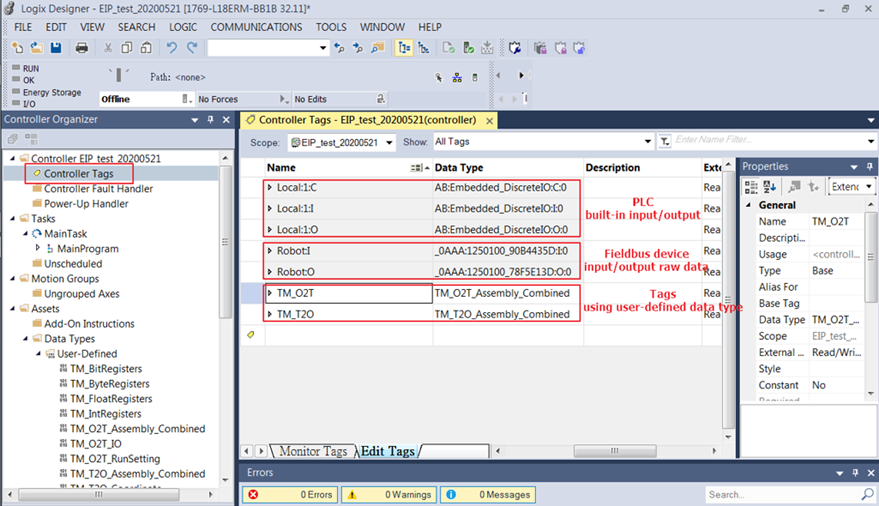
Step #2: Create Tags by using combined assembly for convenience.
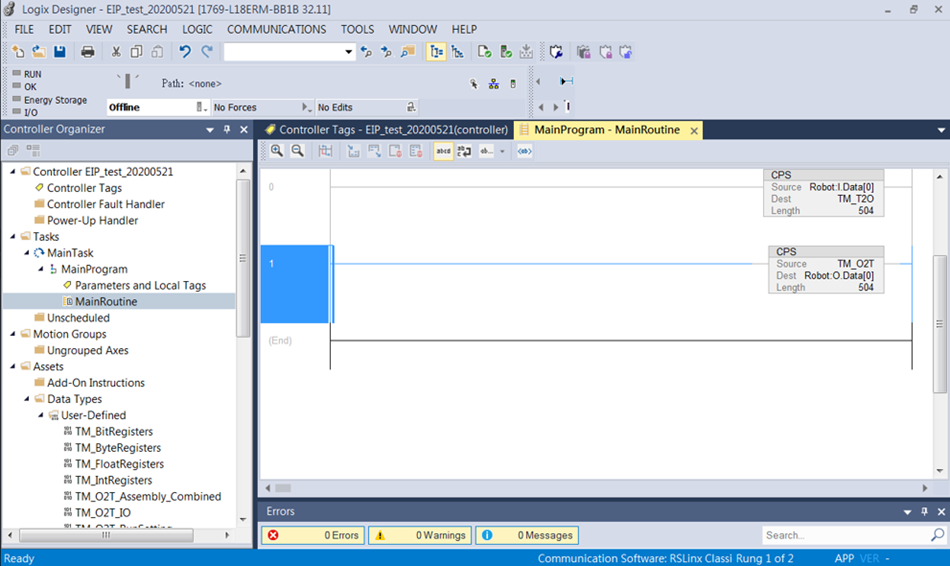
Step #3: Programing PLC ladder to sync I/O data by using datatype assemblies.
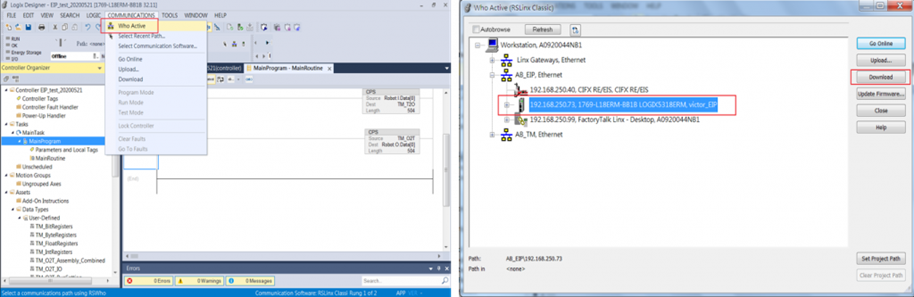
Step #4: Download to PLC
Step #5: Run PLC
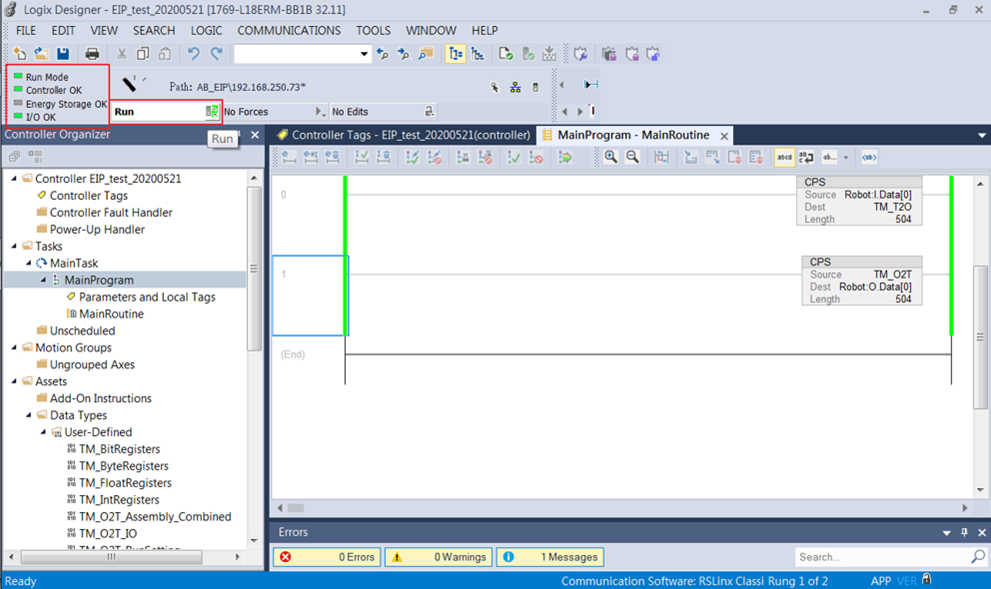
The (*.l5x) file is imported and tags are created successfully.
Was this article helpful ?