How to Save Up Project Creation Time with One Shot Get All
Updated on 2026 / 08 / 27
Examples are valid for:
TMflow Software version: All
TM Robot Hardware version: All
Other specific requirements: None.
Note that older or newer software versions may have different results.
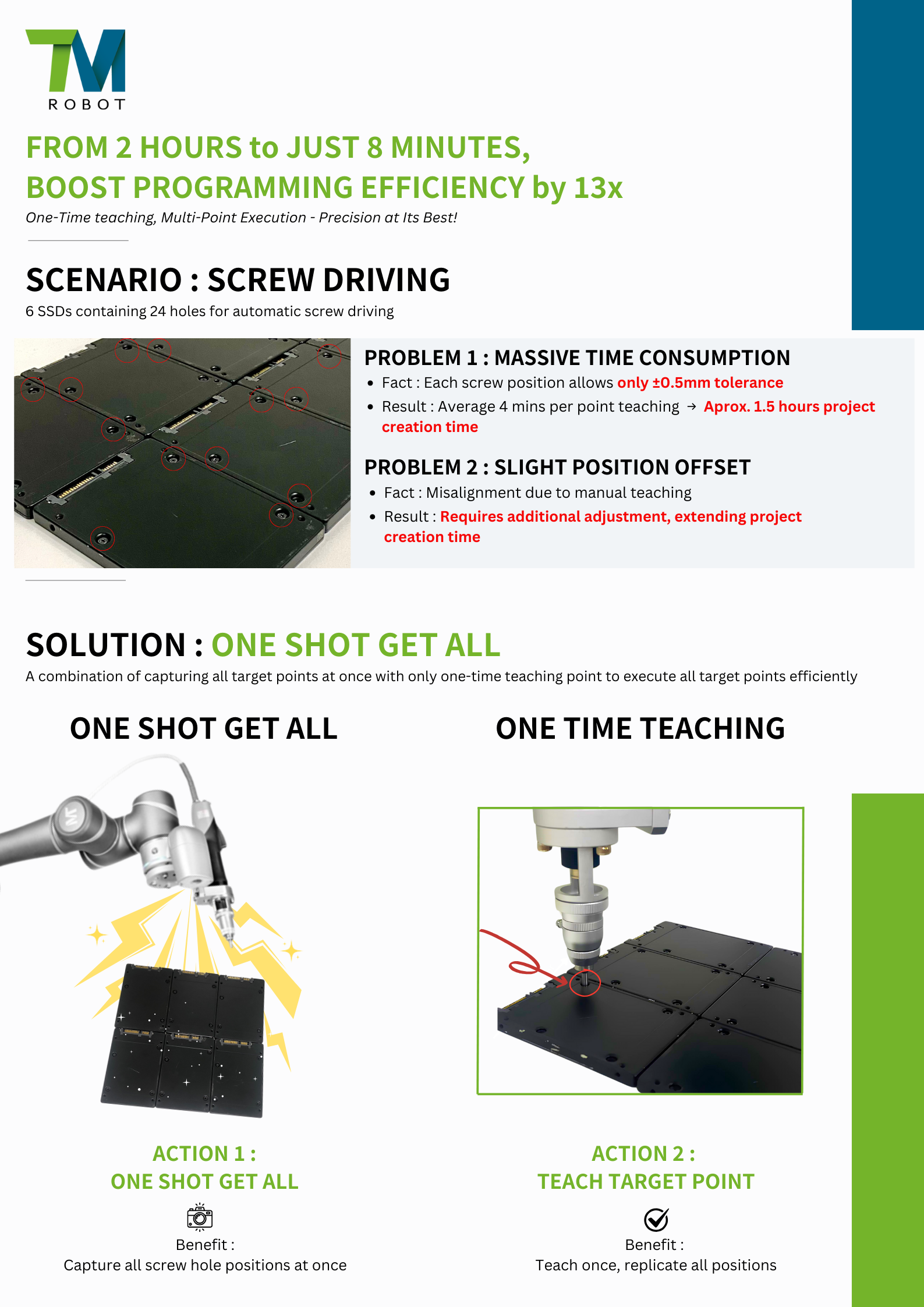
Curious How We Cut Project Creation Time From 2 Hours to Just 8 Minutes?
🎥 Watch the demo video to see how One Shot Get All revolutionizes screwdriving automation with one-time teaching and multi-point execution.
[video width="1920" height="1080" mp4="https://tm-robot.oss-cn-hongkong.aliyuncs.com/wp-content/uploads/2025/03/promotion-video-one-shot-get-all-How-to-save-up-project-creation-time-with-One-Shot-Get-All-1.mp4"][/video]
Want to Learn How to Use This Method?
If you're ready to boost your programming efficiency and apply One Shot Get All in your own projects,
👉 Click here to learn how it works step by step
Was this article helpful ?