
[EtherNet/IP] Communication Protocol On TM
Updated on 2026 / 08 / 27
Examples are valid for :
TMflow Software version : All versions
TM Robot Hardware version : All versions
Other specific requirements : None
Note that older or newer software versions may have different results.
Hardware Installation
Step #1: Remove the cover of the control box and the cable.
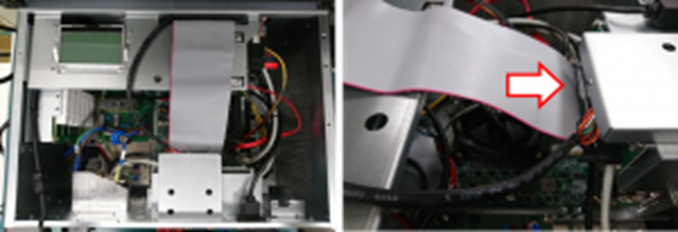
(left) Remove the control box upper cover (right) Remove the cable
Step #2: Find the card slot and install the Mini-PCIe card and cable.
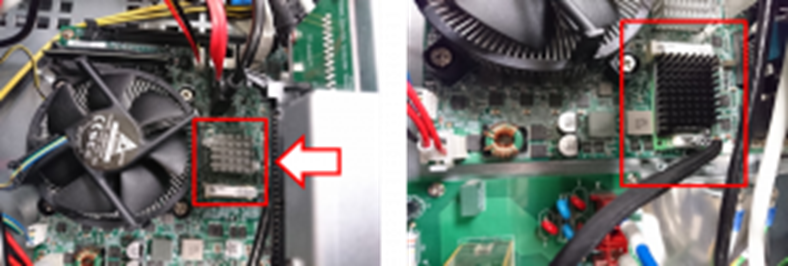
Step #3: Fix the card with screws
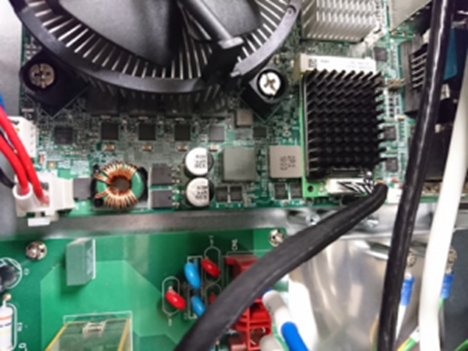
Step #4: Remove the cover (red box) with a screwdriver and install the network plug.
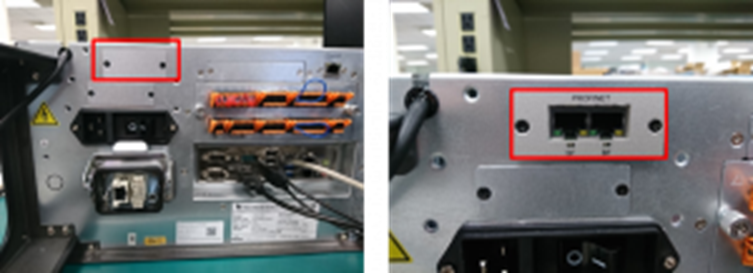
Step #5 (Finally), Plug the cable and install the cover of the control box.
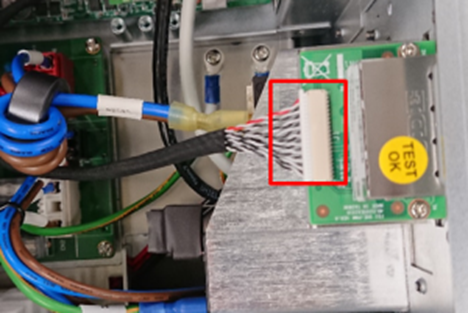
Enabling EtherNet/IP
Step #1: Go to the setting page.
Step #2: Click Connection.
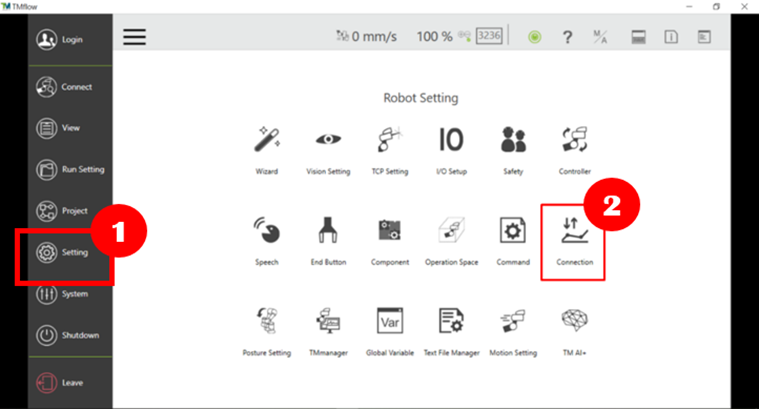
Step #3: After entering the Connection page, chose EtherNet/IP Server.
Step #4: Enable EtherNet/IP by clicking the button below.
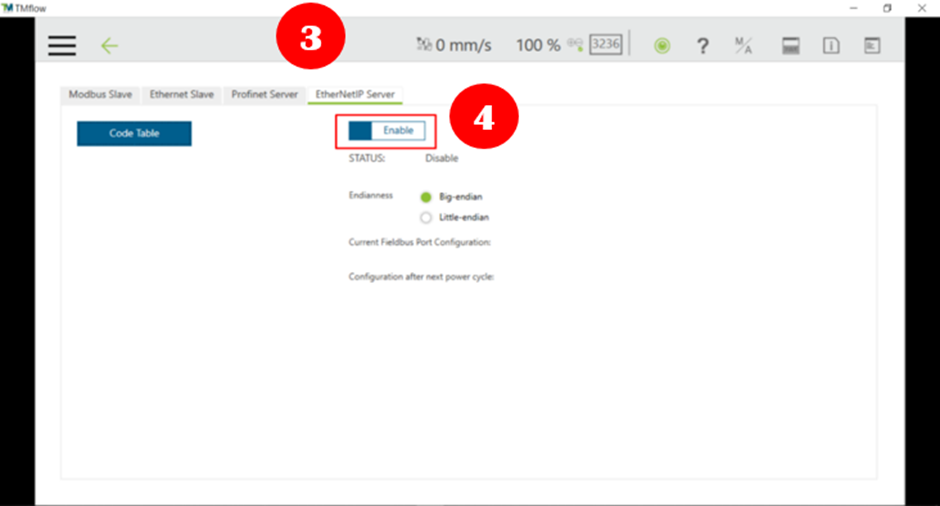
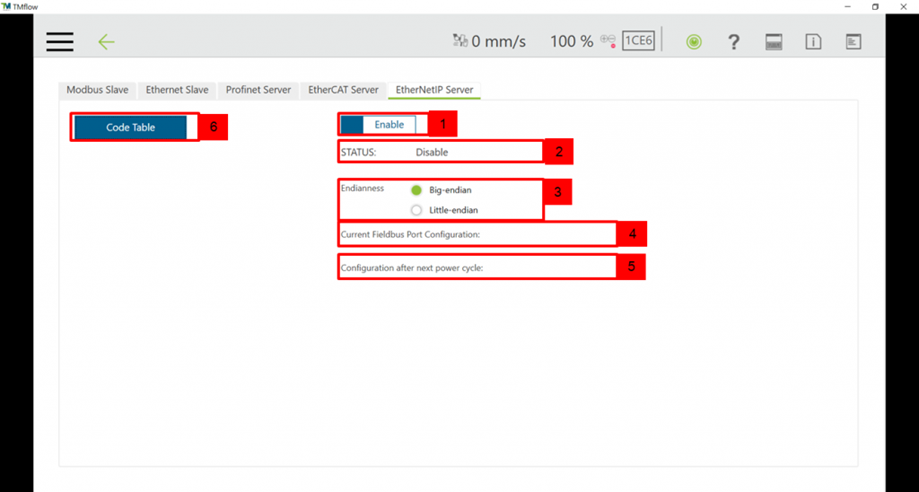
EtherNet/IP Server Page
1. Enable setting (Enable/Disable)
2. Status Display (Check if it is enabled successfully)
3. Endian setting (Big-endian/Little-endian)
4. Display current Fieldbus settings
5. Display Fieldbus settings after booting
6. Input and Output table (Complete table can be downloaded here)
Was this article helpful ?